Self-hosted privacy
Customers can run FitzX Server on their own computer, office network, or VPS so messages stay under their control.
 FitzX Chat
Self-hosted Windows desktop chat
FitzX Chat gives small teams, offices, creators, and private groups a clean desktop chat system with rooms, file sharing, admin controls, voice/video support, and no forced cloud lock-in.
Built for ownership
FitzX Chat is designed as a client-server package. The buyer runs FitzX Server on their own machine, office server, or VPS. Their desktop clients connect to their server address, while paid activation stays protected by the FitzX-owned activation service.
Screenshots
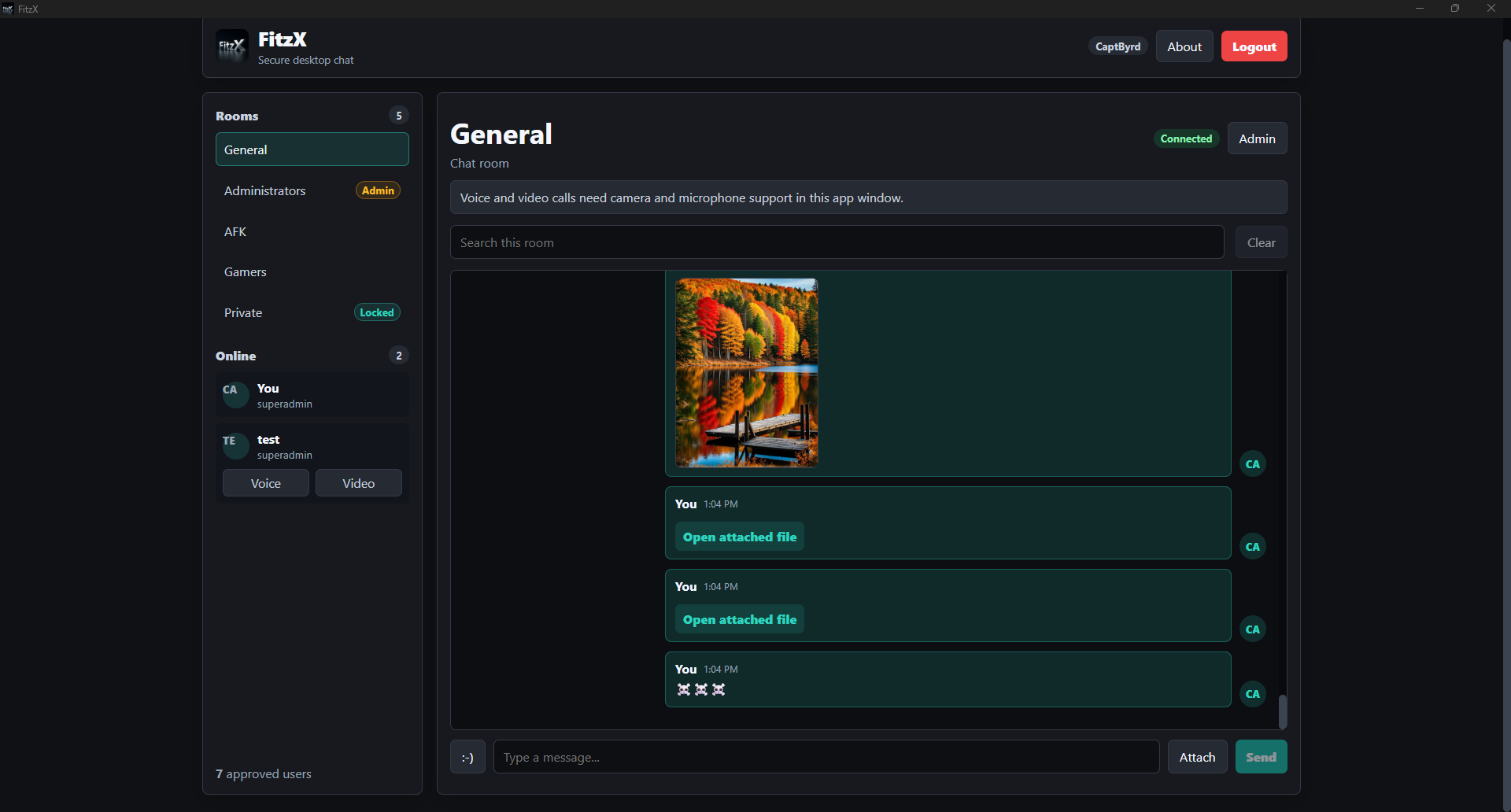
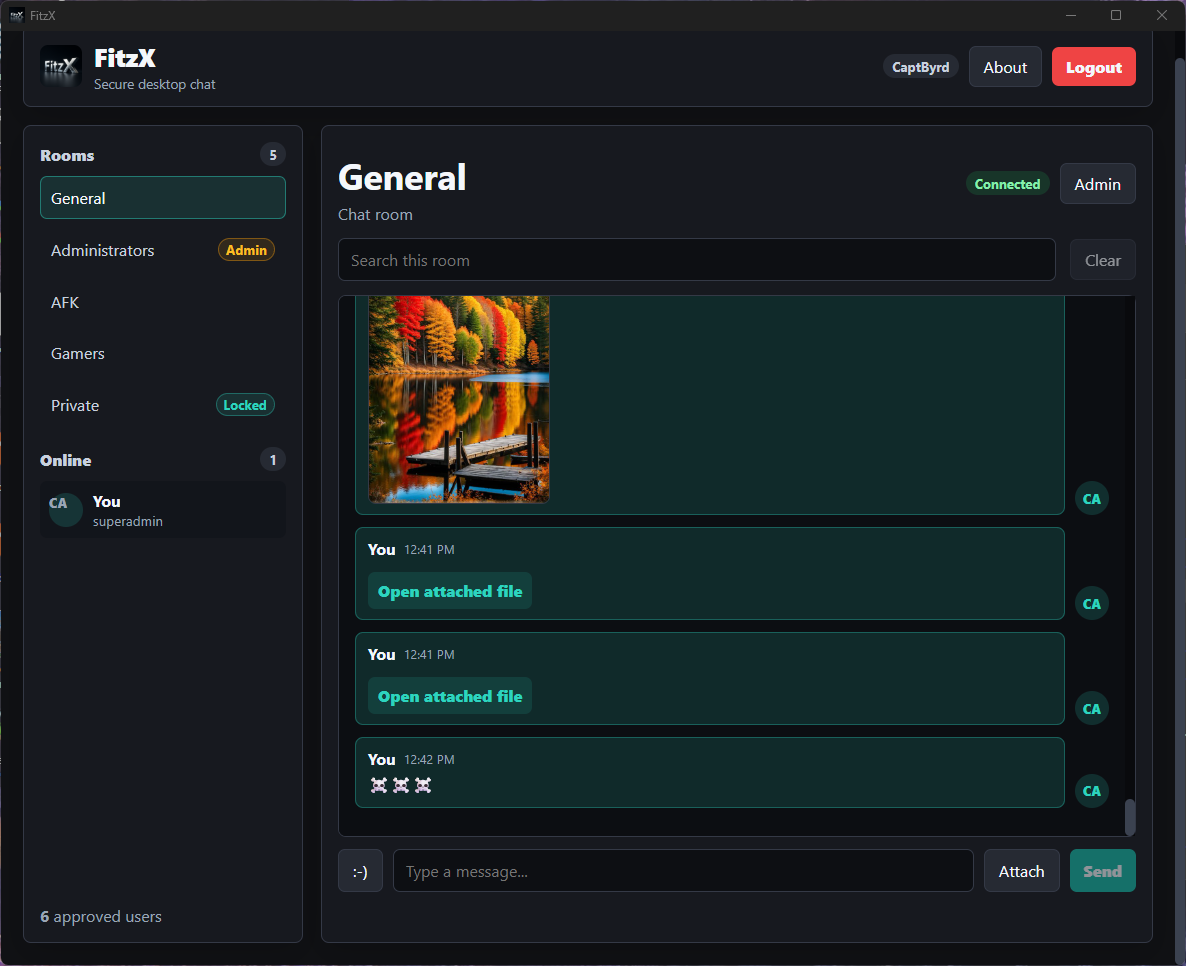
Rooms, users, messages, attachments, admin controls, and status are visible in one focused workspace.
Why buyers care
Customers can run FitzX Server on their own computer, office network, or VPS so messages stay under their control.
Create public rooms, locked rooms, admin spaces, and focused conversations for different teams or groups.
Share images, documents, and attachments directly inside the chat flow with room history preserved on the buyer's server.
Add live conversation when text is not enough, with desktop permissions configured for microphone and camera access.
Manage users, rooms, approvals, files, and settings from a dedicated admin area.
Package the desktop client for buyers with FitzX branding, installer flow, and a guided server-address setup.
Simple buyer setup
The buyer runs the server on their own computer, office server, or hosted VPS.
Desktop clients connect to the buyer's IP address or domain, not CaptByrd's personal server.
The buyer owns their users, rooms, uploads, and message history while FitzX validates the paid activation.
Safe demo route
Use a clean demo route for sales calls and early buyers. Keep personal IP addresses, private keys, test users, and real chat files out of the public website.
Recommended demo address
demo.fitzx.netPoint this subdomain to a clean demo server when you are ready. Demo data should be reset often and kept separate from your real FitzX install.
Request demo accessShows screenshots, benefits, yearly license terms, and demo request buttons.
Runs sample rooms and test accounts only. No private chats, uploads, or personal files.
After purchase, the buyer enters their own server IP or domain, then activates through the FitzX activation service.
Positioning
Cloud-only apps: simple to start, but customer data lives on someone else's platform.
FitzX Chat: a branded desktop chat product customers can run privately on their own server.
Future option: FitzX Cloud can come later for customers who want hosted convenience.
Founder Launch Pricing
The first 25 buyers get FitzX Chat yearly for $72/year. After founder spots are gone, yearly pricing moves to $99/year.
Flexible
$12/month
Month-to-month activation for buyers who want to try FitzX without a yearly commitment.
First 25 buyers
$72/year
Founder yearly activation for 1 private FitzX Server and up to 10 seats/devices. Regular yearly pricing moves to $99/year later.
Business founder
$199/year
Founder business activation for teams that need more devices. Regular business pricing moves to $299/year later.
Corporate / Enterprise
Contact
For larger organizations that need custom setup, branding, support, or deployment help.
Questions buyers ask
The self-hosted package uses the buyer's server for chat data. Paid activation is verified through the FitzX-owned activation service.
No sale package should include personal chats, uploaded files, logs, private keys, or live user data.
Yes. Buyers use their own server, but the desktop app, installer, logo, and product name remain FitzX.
Each buyer receives a FitzX activation from the FitzX-owned activation service. Monthly licenses renew month to month, and yearly licenses renew once per year at the better rate.
Yes. Cash App payments are accepted during launch. After payment is confirmed, FitzX sends the protected download and activation key.
The first commercial package is focused on Windows desktop. Other platforms can be added later.
Ready to sell smarter
Powered by FitzX
FitzX builds practical tech tools for real people — from computer repair and support to private self-hosted software like FitzX Chat.